
How to Stay Connected in China: A Practical Guide to Using a VPN as a Traveler
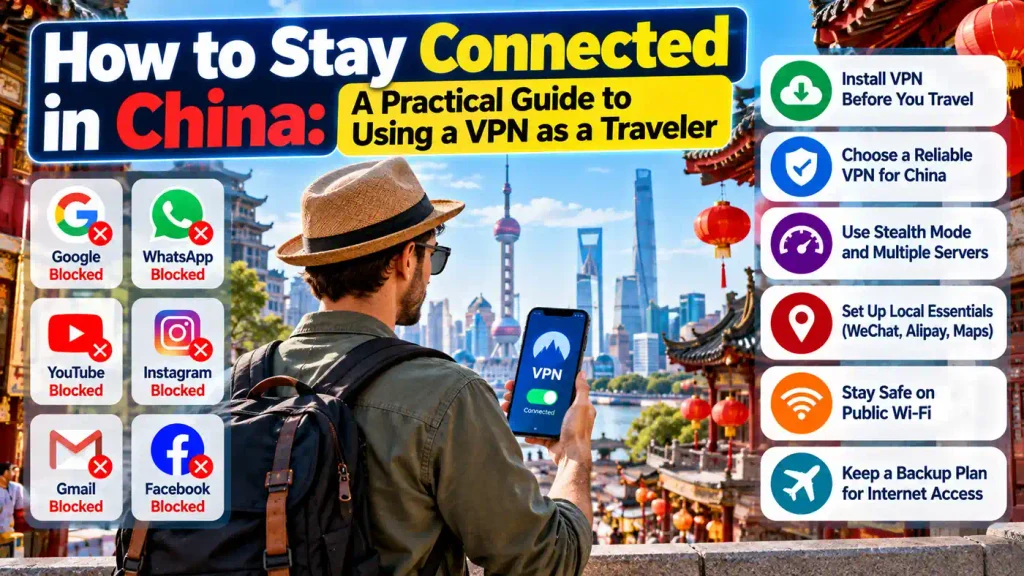
You land in Shanghai after a long flight and reach for your phone to message your family. WhatsApp won’t load. You try Google Maps to find your hotel, and that doesn’t work either. Gmail stays stuck on a spinning wheel.
None of this means your phone is broken. It’s how the internet works in mainland China, and it catches a lot of first-time visitors off guard. A little preparation before you leave makes the trip much smoother.
This guide covers what is blocked, why a VPN is the usual fix, and how to choose and set one up. It also covers a few habits that help once you arrive.
Why Many Apps Don’t Work in China
China runs a nationwide system of internet filtering, often called the Great Firewall. It restricts access to many foreign websites and services. The list changes over time, but it has long included Google services, Facebook, Instagram, X, YouTube, and WhatsApp. Many news sites and some cloud tools are also affected.
For a tourist, the impact is practical. You lose your usual maps, email, messaging apps, and photo backups. Work tools like shared documents and video calls can also become unreliable.
Local alternatives exist. Apps like WeChat, Baidu Maps, and Alipay are widely used and work well inside the country. But they usually require phone number verification and sometimes a local payment method. If you only have a week, setting all of that up can feel like a chore.
What a VPN Actually Does
A VPN, or virtual private network, creates an encrypted connection between your device and a server somewhere else in the world. Your traffic travels through that server before it reaches the website you want. To the network you’re on, it looks like you’re browsing from the server’s location instead.
Think of it as a private tunnel. Anyone watching the road outside can see that a tunnel exists, but not what’s moving through it. Your apps then behave as if you were back home.
A VPN also helps on public Wi-Fi. Airports, hotels, and cafés often have open networks, and an encrypted connection adds a layer of protection when you log into email or check a bank balance.
A Note on Legality and Common Sense
It’s worth being upfront here. China regulates VPN services, and providers that operate without government approval are considered unauthorized. In practice, foreign visitors using a VPN for ordinary things like messaging family or reading email are rarely the focus of enforcement. Still, rules can change, and the situation is different for residents and businesses than for short-term travelers.
Before you go, check the current guidance from your own government’s travel advisory and your hotel or employer. Use a VPN for everyday needs like staying in touch, and follow local laws while you’re there. If you’re traveling for work, ask your company’s IT team about their policy. Many companies already have an approved solution.
The Most Important Rule: Set It Up Before You Leave
This is the mistake people make most often. VPN provider websites and app store pages are often blocked inside China. If you wait until you land, you may not be able to download the app or create an account.
Do these things at home:
- Install the VPN app on every device you’ll bring, including your phone, laptop, and tablet.
- Create your account and sign in on each one.
- Test the connection at home so you know how it works.
- Save the provider’s support contact details and any backup connection instructions.
Some providers also offer manual setup files or alternate download links. Ask for these before you go, since they can be a lifesaver if the app gets removed or stops working.
How to Choose a VPN That Works in China
Not every VPN works well there. Because the filtering systems are actively updated, many popular services struggle or stop working entirely. When you compare options, look for a few practical things.
Proven Reliability Inside China
The single most important factor is whether the service works from mainland China. Look for recent traveler reviews and provider statements that speak to this directly. If a company doesn’t mention China at all, that’s usually a bad sign. A good starting point is a guide to the best VPN for China written by someone who has actually tested services on Chinese networks, since it shows which ones keep working and how their speeds compare.
Obfuscation or Stealth Features
Some VPN traffic can be detected and blocked because it has a recognizable pattern. Services built for restricted regions often include “obfuscation,” which disguises VPN traffic so it looks like regular web traffic. Providers may call this stealth mode, camouflage, or something similar. If a service offers it, make sure you know how to turn it on.
Multiple Connection Options
Good providers offer several connection methods, called protocols. If one gets slowed down or blocked, you can switch to another. Having options matters because the situation can shift from one week to the next, or even from one city to another.
Speed and Server Locations
Your connection will travel a long way, so some slowdown is normal. Servers in nearby locations, such as Hong Kong, Japan, Singapore, or South Korea, often give better speeds than servers on another continent. A service with many server locations gives you room to experiment.
Clear Privacy Practices
A VPN company can see a lot about your activity, so it needs to be trustworthy. Look for a clear privacy policy that explains what data is collected and how long it’s kept. Be careful with free VPNs. Many pay for themselves by showing ads or collecting user data, and some are unreliable.
Support You Can Reach
If your connection drops in the middle of a trip, you’ll want help quickly. Live chat or fast email support is worth a lot. Check that support is available in your time zone and that the team understands China-specific problems.
Practical Tips Once You Arrive
Even with a good VPN, connections in China can be inconsistent. A few habits make life easier.
Connect early. Turn on your VPN as soon as you have a network, ideally before you open any blocked apps. Some services work better when the connection is established first.
Try different servers. If one location is slow, switch to another. Nearby servers are often a good first choice.
Change protocols if needed. If the connection keeps dropping, try another protocol or turn on the stealth setting.
Expect some slowdowns. Video calls and large downloads may not run as smoothly as they do at home. Save heavy tasks for a stronger connection if possible.
Keep a backup plan. Download offline maps for the cities you’re visiting. Save your hotel’s address in Chinese characters. Note down key phone numbers. If your VPN fails at a bad moment, you won’t be stranded.
Consider a travel eSIM or roaming plan. Some international roaming plans route your data through your home country’s network, which means many blocked apps may work without a VPN. It can cost more, but it’s a useful backup, and some travelers use it alongside a VPN.
Set Up the Local Essentials Too
A VPN handles your usual apps, but you’ll still want a few local tools.
WeChat is close to essential in China. People use it for messaging, payments, ride hailing, and even restaurant menus. Setting it up before you go, and verifying your account, is a good idea.
Alipay also works for foreign visitors and lets you pay in most shops and restaurants. Linking an international card takes a few minutes and saves you from relying on cash.
For getting around, Baidu Maps and Amap work better than foreign map apps in many cases. Apple Maps also works reasonably well on iPhones, and it’s worth trying before you travel.
Translation apps help too, especially for menus and street signs. Download the Chinese language pack in advance so it works offline.
Common Mistakes to Avoid
Here are a few slip-ups that trip people up.
- Waiting until you land to install a VPN. As covered above, the download pages may not load.
- Trusting one tool only. Have a second option or a backup plan ready.
- Using a random free VPN. These often have weak security and unreliable performance.
- Forgetting about your devices. Set up your phone, laptop, and any other gadgets before departure.
- Ignoring account limits. Many VPN plans cap how many devices can connect at once, so check before you buy.
Bringing It All Together
China is an easy country to enjoy, and the internet situation is manageable once you understand it. The apps you rely on at home may not work, but a bit of preparation goes a long way.
Here are the key takeaways:
- Many popular foreign apps and sites are blocked in mainland China, including Google services, WhatsApp, and Instagram.
- A VPN creates an encrypted connection that lets you reach those services, but you should install and test it before you leave.
- Choose a provider with a real track record in China, stealth features, multiple protocols, and responsive support.
- Check the current rules and travel guidance before your trip, and follow local laws while you’re there.
- Set up WeChat, Alipay, and offline maps as backups, and keep a Plan B for connectivity.
A little planning before departure means you can spend your time enjoying the trip instead of fighting with your phone.